Shopify Point of Sale (POS) Integration
Shopify POS integration is only available under the Platinum Plan
Our Shopify POS integration allows inventory batches to be assigned to orders from within the Shopify POS. To install, add the Product Expiration Dates app as a tile on the POS home screen:
-
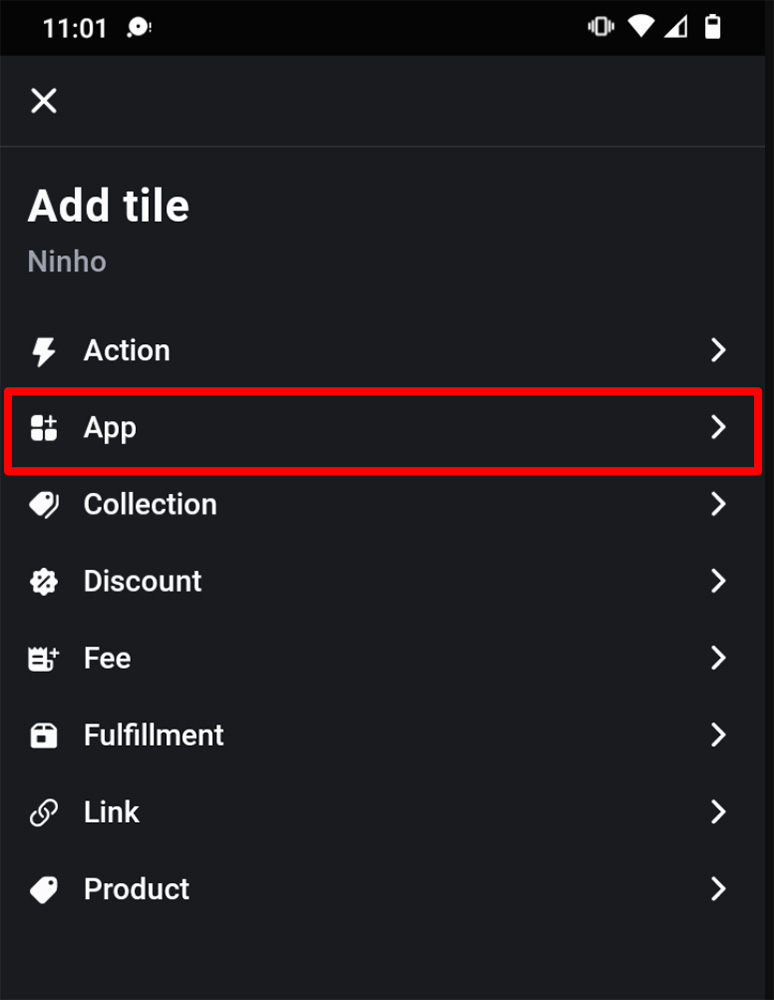
From the POS home screen touch "Add tile" and select "App":
-
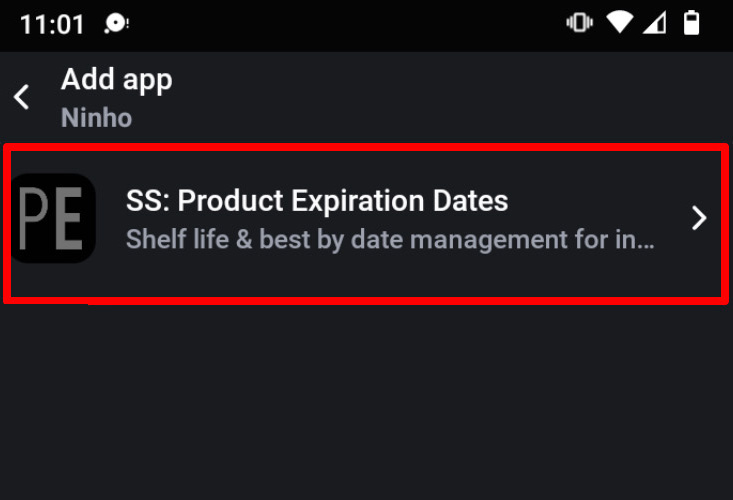
From the app list select "SS: Product Expiration Dates":
-
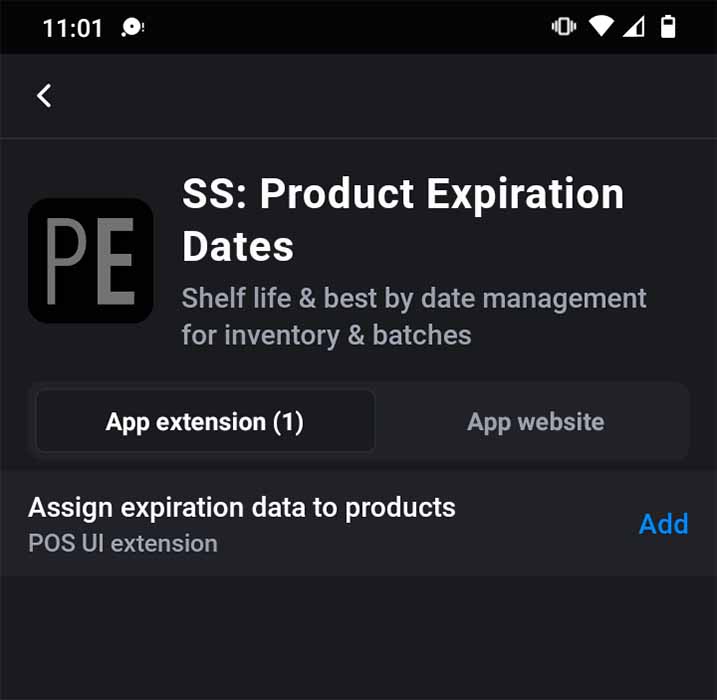
Next to "Assign expiration data to products" click "Add":
-
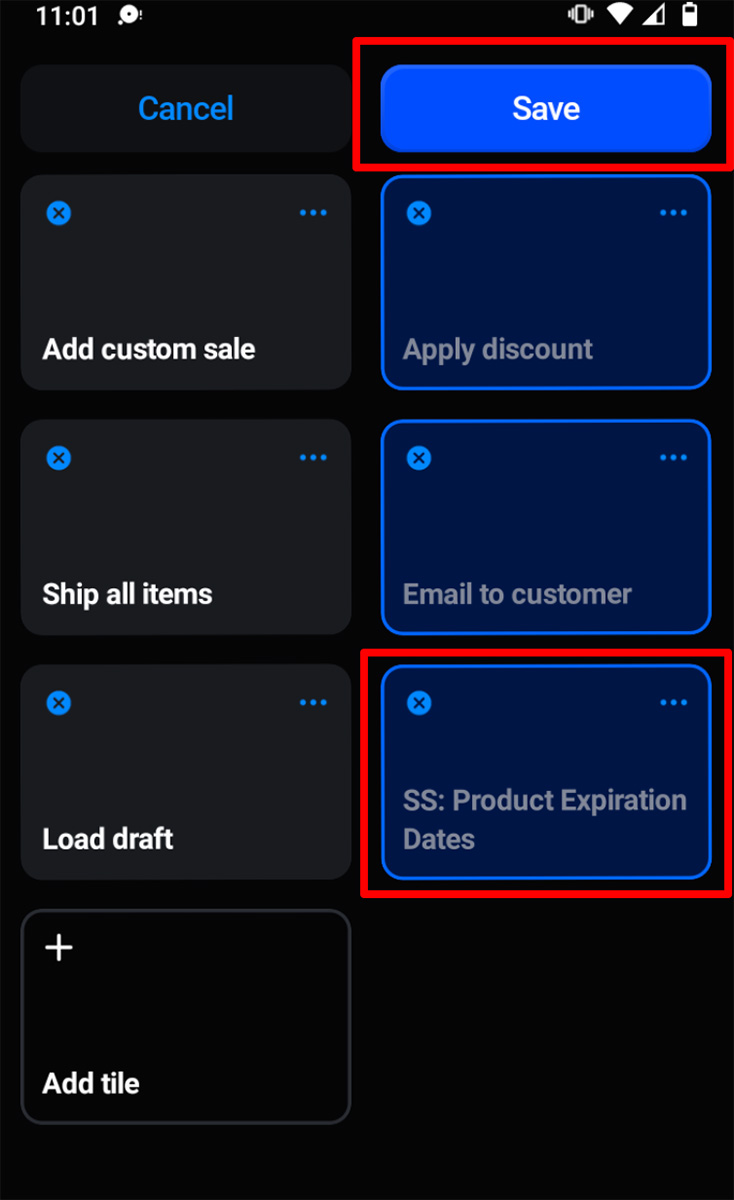
This will show the "SS: Product Expiration Dates" tile on the home page:
-
Touch "Save"
Now when items are in the cart you can touch the "SS: Product Expiration Dates" tile and assign inventory batches. Batches shown will be those from the POS' location.