Percentage of its parent HTML element's size
A percentage width makes the label relative to the element it's embedded in, e.g. a theme block or a product page's column. The width changes when the size of that element changes.
To make a label as wide as the element it's in:
- Find the desired product and click the "Edit" button
- Go to the Label Display Settings section
- Select "General"
- Fill-in the "Width" field with the desired percentage. In most cases you will enter
100so that the label occupies the full width of its parent element - Select
%from the unit menu: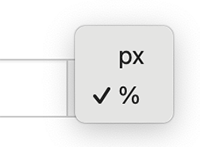
- Click Update
A label with a percentage width is still limited by the space it's given. For example, a label with a width of 100% inside a
column that's 300 pixels wide will also be 300 pixels wide.