Fixed pixel value
A fixed width is set in pixels by selecting px from the unit menu. For example, to make a label 400 pixels wide:
- Find the desired product and click the "Edit" button
- Go to the Label Display Settings section
- Select "General"
- Fill-in the "Width" field with the desired width, e.g.
400 - Select
pxfrom the unit menu: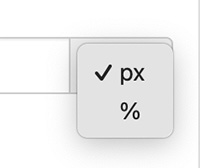
- Click Update
If no width is set the label uses your default. If no default is set the default width for the selected label format will be used. This is 400 pixels for vertical formats and 750 pixels for tabular formats.
A fixed width is applied as a maximum width. If the space available for the label is smaller than the label's width, the label is reduced to fit. A label will never be wider than the space it's embedded in, e.g. a narrow column on a phone.
To use a dynamic, container-based width use a percentage