Modifying a Label's Design
Settings are applied at 2 levels:
- Site defaults that apply to all new labels
- Label-specific values
Site defaults can be configured on your account's settings page.
Label-specific values can be set when creating or editing a label in the Label Display Settings section. These settings are divided into:
- General - Basic settings that apply to everything on the label. Width, font size, etc.
- Nutrition Panel - Settings that apply specifically to the panel. Border size, color, thickness, etc.
- Custom CSS - site-specific CSS to include on all new labels
Colors and design of text fields like ingredients and warnings can be modified within the field itself.
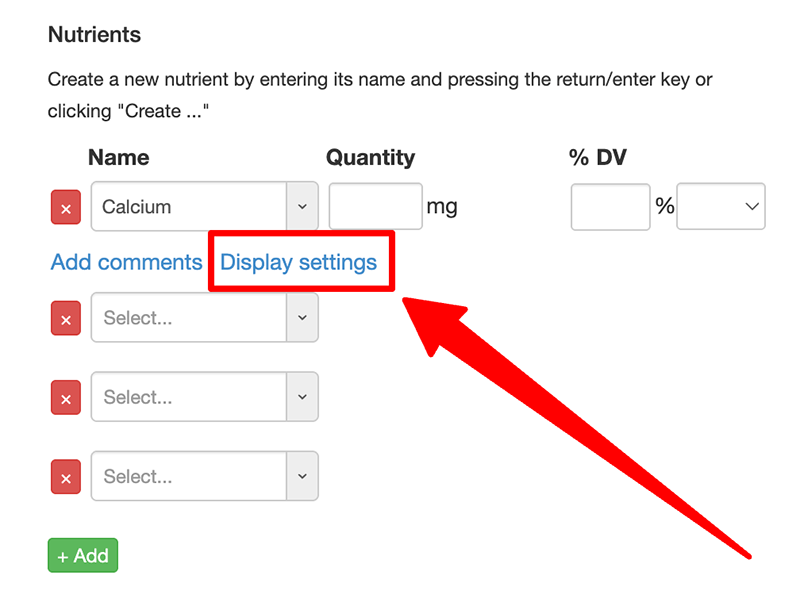
Settings can also be configured per row in the nutrition panel. This includes things like changing a nutrient's indentation, emboldening its text, and adding links to other products or pages on your site. To configure a setting for a row click on the Display settings link after selecting or entering a value: