Linking to Web Pages from Label Nutrients
If your subscription includes Premium plan features you can turn a nutrient or dietary ingredient on a label into a link to the web page of your choice.
To create a link:
-
Create or edit an existing product label
-
In the Nutrients or Dietary Ingredients sections, add or edit a value
-
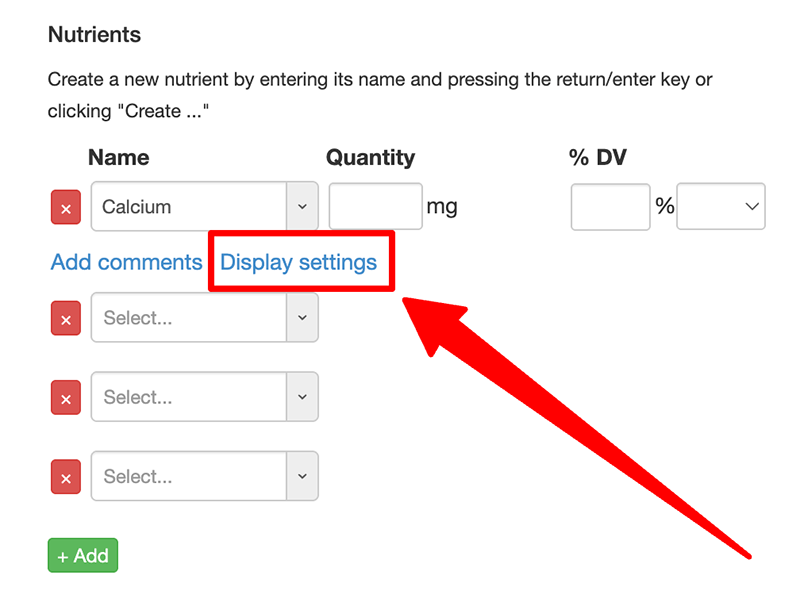
Once a value has been entered you will see a Display settings link:
-
Click the link to open the Display Settings dialog. In the Link section's URL field enter the page you want to link to.
-
By default the link will open in the same page. You can have it open in a new window/tab by selecting Open in new window/tab.
-
Click Save or Update to save
-
Now when the label is displayed on your site a link will appear from the nutrient or dietary ingredient to the given URL
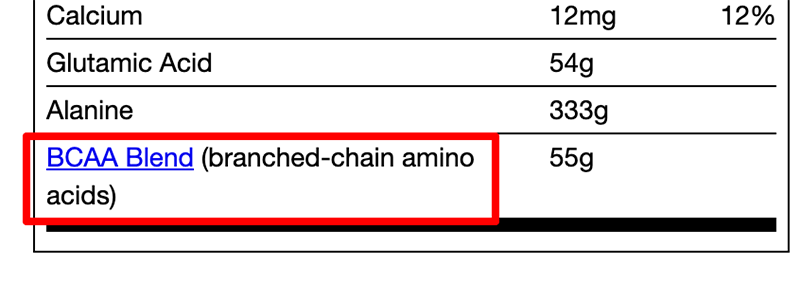
To change the color of the link see the section Changing a Label's Colors and Design.