Shopify Theme Editor
Using the Shopify theme editor (theme customization) you can add labels as a section or block to a product template or connect them to an existing section or block via a metafield (dynamic source).
Add Label as a Block
- Go to Themes in the Shopify Admin
-
Find the theme you want to update and click Edit theme
-
In the theme editor, select the product template you'd like to add labels to:
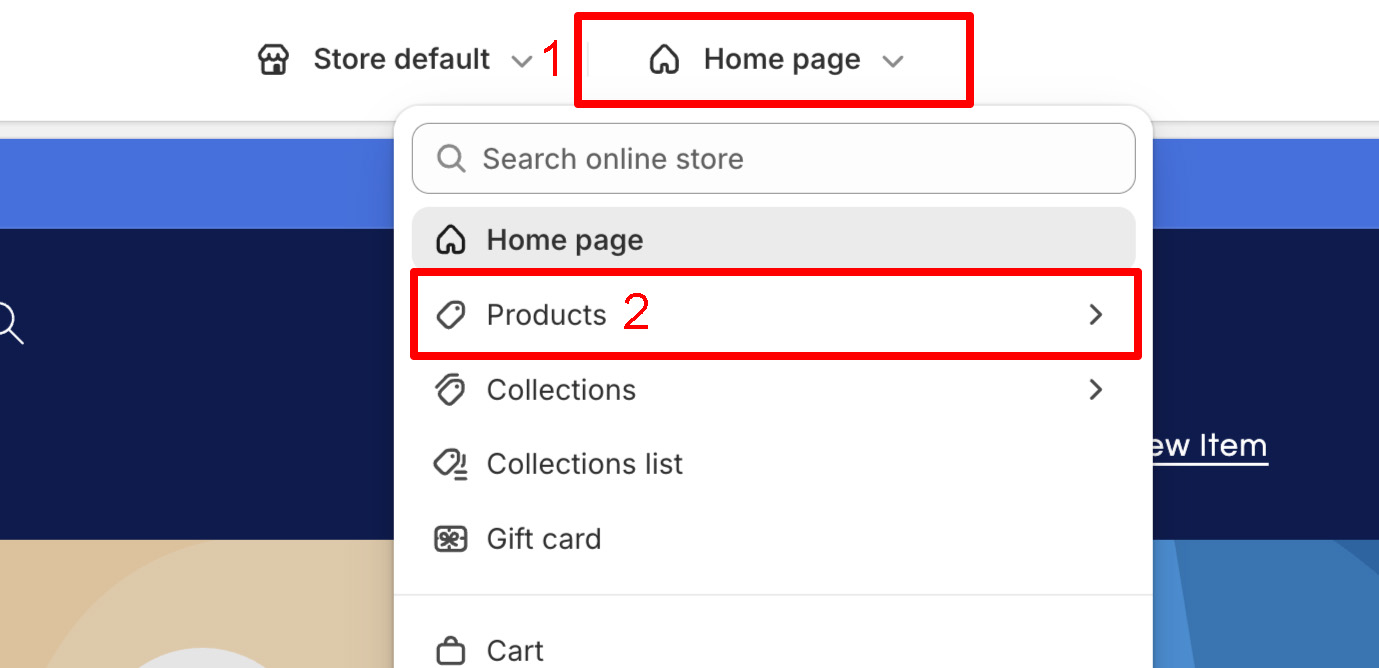
-
Select the desired location within the product template. This can be done by hovering your cursor over the desired insertion area:
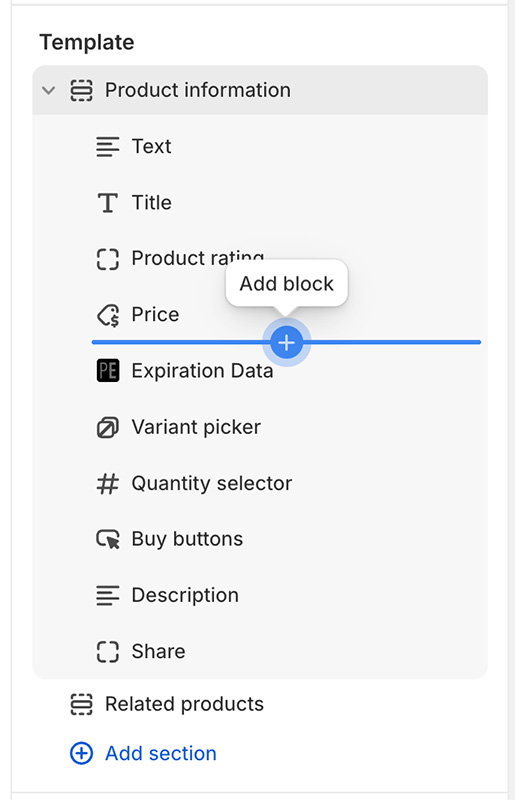
-
Click on the add block button and select Nutrition Facts from the Apps section:
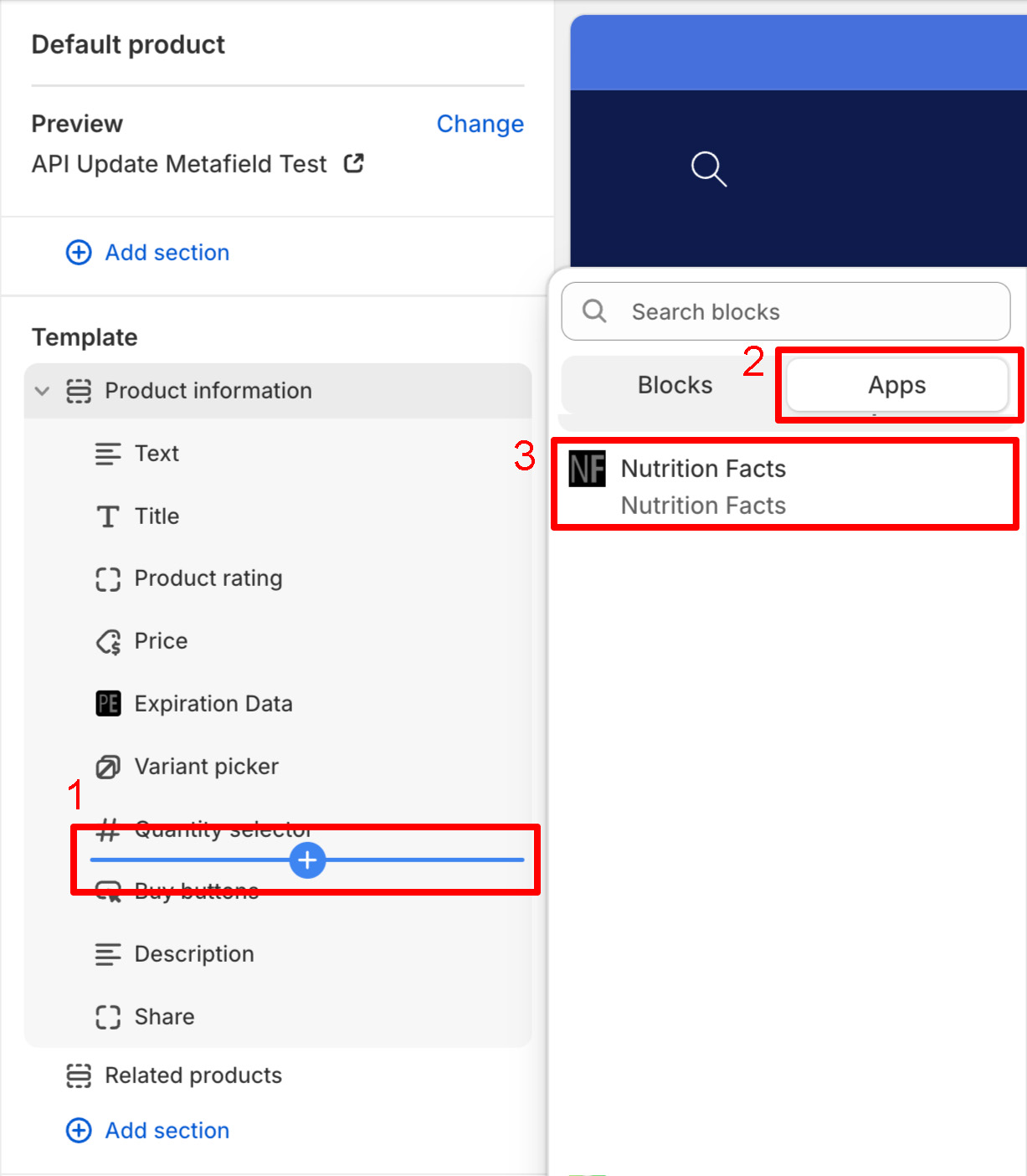
-
This will add a Nutrition Facts block to the selected template:
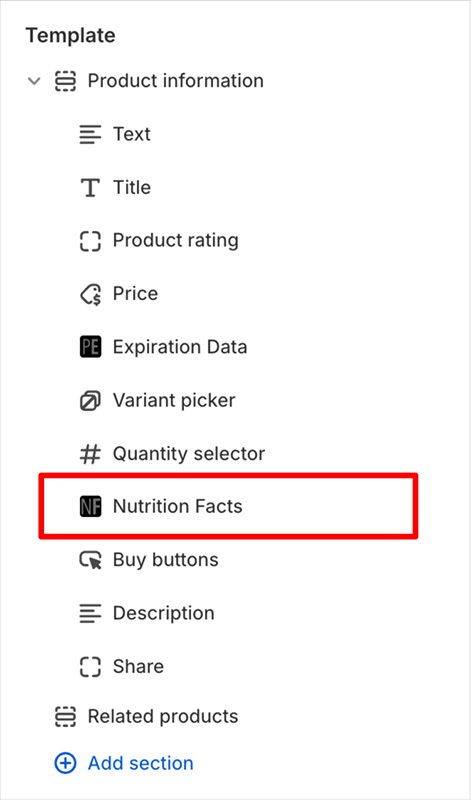
-
Click on the Nutrition Facts block to access additional configuration options
-
Click Save
Product labels will now be shown on your site.
Add Label via a Metafield
This only works if the target section or block supports dynamic sources.
- Go to Themes in the Shopify Admin
-
Find the theme you want to update and click Edit theme
-
In the theme editor, find the section or block you want to add labels to and click on it. In this example we add them to a Text block:
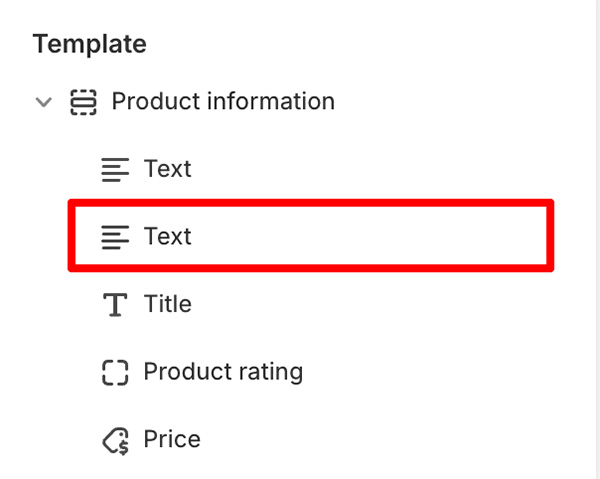
-
From within the Text block's configuration click the Connect dynamic source button:
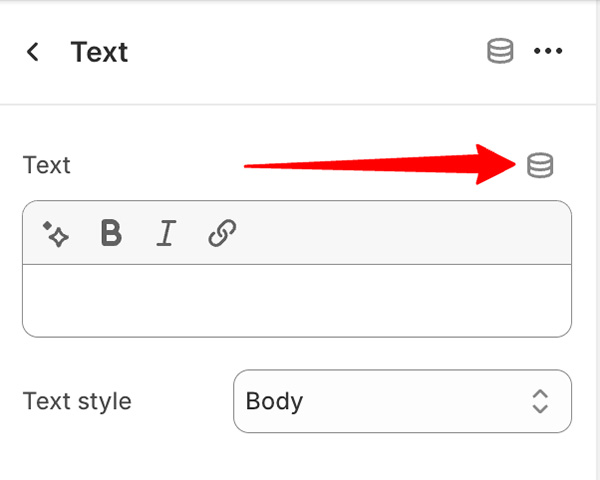
-
Make sure the product template's sources are selected:
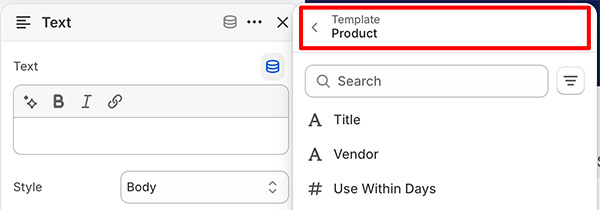
If it's not selected click on the currently selected heading and change the source to the product template
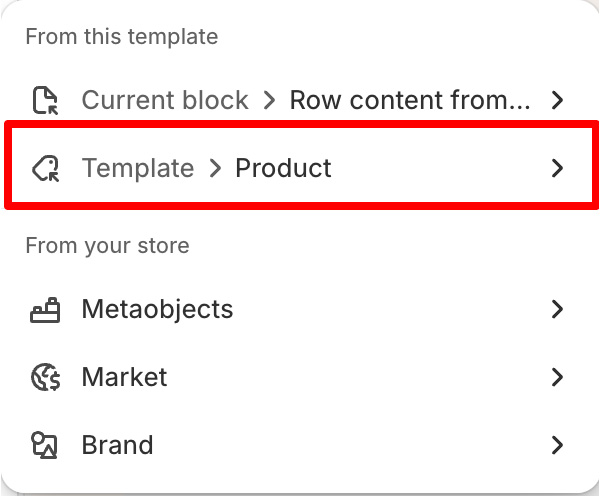
-
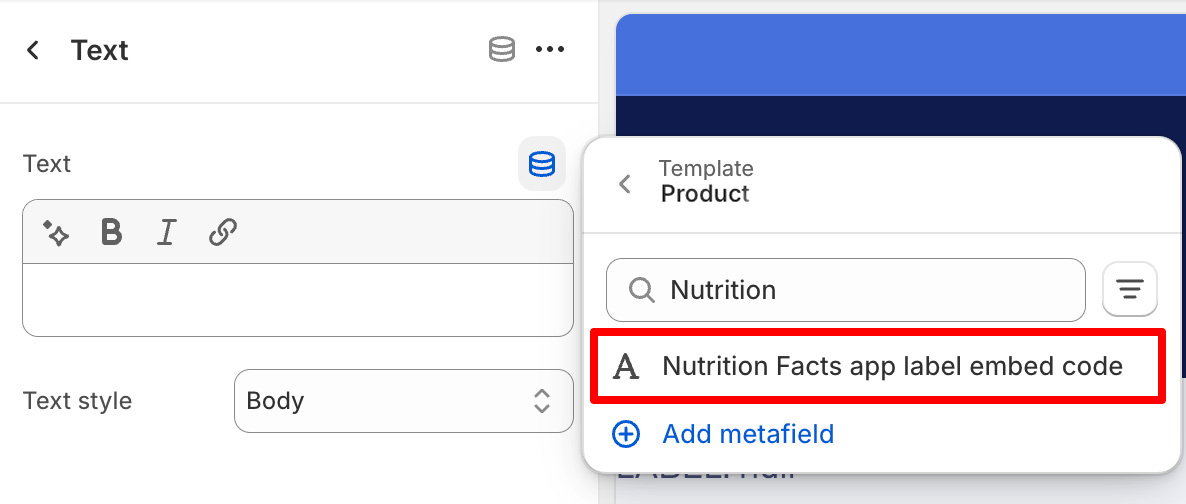
From the list of dynamic sources search for and choose Nutrition Facts app label embed code:
-
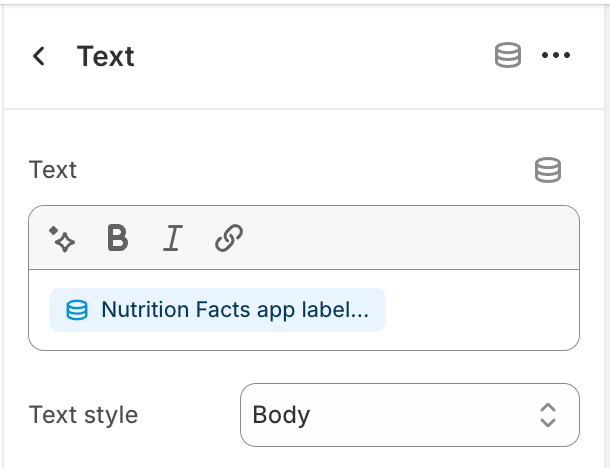
Once selected you will see it as a source in the associated field:
-
Click Save
Product labels will now be shown on your site.
Elsewhere
If you want to add labels to a location outside of the product template or, anywhere else on your site, try one of the following: